
 Home
Home  Apps
Apps  Games
Games  About Us
  Cookies & Privacy Policy
  Terms of Service
Auto Clicker - Automatic tap
Version: 2.3.0
Developer: True Developers Studio
 Verified App
 Advertisement
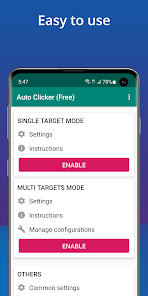
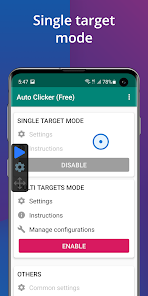
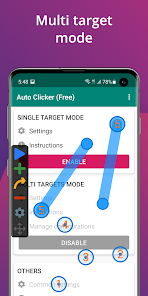
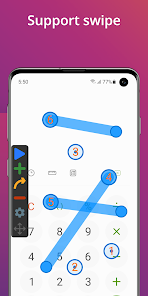
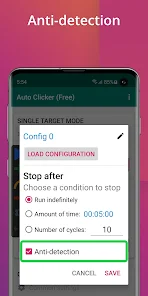
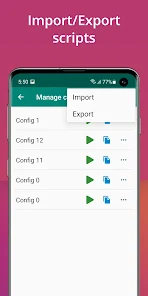
"Auto Clicker - Automatic Tap" is a powerful tool designed to automate repetitive tapping tasks on your device. With its user-friendly interface, you can easily set up custom click patterns and intervals, saving you time and effort. Whether you’re gaming, browsing, or performing routine tasks, this app enhances your efficiency by allowing you to focus on what truly matters. Experience seamless automation and boost your productivity with Auto Clicker today!
Advertisement
Features of "Auto Clicker - Automatic Tap"
"Auto Clicker - Automatic Tap" is a versatile application designed to automate tapping on mobile devices. One of its standout features is the ability to set custom tap intervals, allowing users to choose how frequently the app performs taps. This can be particularly useful for repetitive tasks in games or applications where manual tapping can be tedious. Additionally, the app supports multiple click points, enabling users to automate taps at various locations on the screen simultaneously.
Another notable feature is the floating control panel, which provides easy access to the app's functions without interrupting the ongoing activity. Users can also record their tapping sequences, allowing for playback of complex actions with a single click. The app is designed with a user-friendly interface, making it accessible for both novice and experienced users. Furthermore, it offers options for both single and continuous tapping modes, catering to different user needs and preferences.
How to Use "Auto Clicker - Automatic Tap"
Using "Auto Clicker - Automatic Tap" is straightforward and user-friendly. First, download and install the app from your device's app store. Once installed, open the app and grant the necessary permissions for it to function correctly. After that, you can set your desired tap locations by selecting the points on the screen where you want the taps to occur. This can be done by simply tapping on the screen within the app's interface.
Next, adjust the tap interval to determine how quickly the app will perform the taps. You can choose from a range of intervals, depending on your needs. Once everything is set, activate the auto-clicking feature by pressing the start button. The app will then begin to automate the tapping process according to your specified settings. To stop the auto-clicking, simply return to the app and press the stop button. This intuitive process makes it easy for anyone to automate their tapping tasks efficiently.
Pros & Cons of the App
"Auto Clicker - Automatic Tap" comes with several advantages that make it appealing to users. One of the primary benefits is its ability to save time and effort by automating repetitive tasks, which can be especially useful in gaming or data entry applications. The app's customizable settings allow users to tailor the tapping experience to their specific needs, enhancing its versatility. Additionally, the user-friendly interface ensures that even those who are not tech-savvy can navigate the app with ease.
However, there are some drawbacks to consider. One potential con is that some users may find the app's functionality limited to specific tasks, as it may not be suitable for all applications. Furthermore, reliance on auto-clicking can lead to a less engaging experience in games, potentially diminishing the enjoyment of gameplay. Lastly, there may be concerns regarding the app's compatibility with certain devices or operating systems, which could affect its overall performance. Balancing these pros and cons is essential for users to determine if the app meets their needs.
 Google Play
  App Store
 Top Apps





Similar Apps

Lucky Patcher
Tools

4.5

SHAREit: Transfer, Share Files
Tools
4.3

Doxcy
Tools
4.9

Calculator
Tools
4.4

Beats
Tools
3.8

Starlink
Tools
4.9

APRSdroid - APRS Client
Tools
3.9

AVG AntiVirus & Security
Tools
4.6

AirMirror Receiver Pro
Tools
3

Amazon Fire TV
Tools
4.6

Automatic Call Recorder Pro
Tools
3.5

CC Booster
Tools
4.5
Advertisement
Laden…