
 Home
Home  Apps
Apps  Games
Games  About Us
  Cookies & Privacy Policy
  Terms of Service
Cast for Chromecast & TV Cast
Version: 3.6.8
Developer: iKame Applications - Begamob Global
 Verified App
 Advertisement
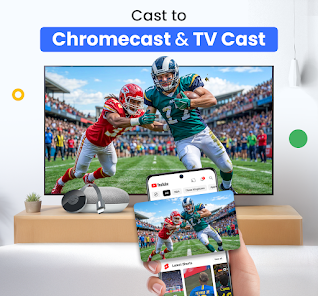


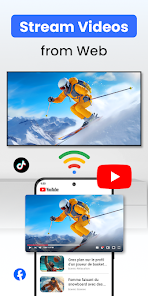
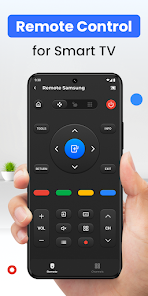
"Cast for Chromecast & TV Cast" is your ultimate solution for streaming content effortlessly to your TV. With a user-friendly interface, this app allows you to cast videos, music, and photos from your mobile device directly to your Chromecast or smart TV. Enjoy seamless connectivity and high-quality playback, transforming your viewing experience. Whether it's movies, shows, or personal media, elevate your entertainment with just a few taps. Start casting and enjoy a bigger screen experience today!
Advertisement
Features of "Cast for Chromecast & TV Cast"
"Cast for Chromecast & TV Cast" is a versatile application designed to enhance your streaming experience. One of its standout features is the ability to cast various media types, including videos, music, and photos, directly from your mobile device to your TV. This app supports a wide range of formats, ensuring compatibility with most media files. Additionally, it offers a user-friendly interface that simplifies navigation, making it easy for users of all ages to operate.
Another notable feature is the screen mirroring capability, which allows users to display their mobile device's screen on a larger display. This is particularly useful for presentations or sharing content with a group. The app also supports multiple devices, enabling users to connect to various Chromecast-enabled devices seamlessly. Furthermore, it provides options for adjusting playback settings, such as volume control and playback speed, enhancing the overall viewing experience.
Lastly, "Cast for Chromecast & TV Cast" includes a built-in media library that organizes your content, making it easy to find and access your favorite media files. With regular updates, the app continually improves its performance and adds new features, ensuring that users have the best possible experience while casting their favorite content.
How to Use "Cast for Chromecast & TV Cast"?
Using "Cast for Chromecast & TV Cast" is a straightforward process that allows users to enjoy their media on a larger screen. First, ensure that your mobile device and Chromecast or smart TV are connected to the same Wi-Fi network. Once connected, download and install the app from your device's app store. Open the app, and it will automatically detect available devices on the network.
Next, select your Chromecast or smart TV from the list of detected devices. After establishing the connection, you can browse through your media library within the app. Choose the content you wish to cast, whether it's a video, music, or photo. Tap the cast icon, and the selected media will begin playing on your TV. You can control playback directly from your mobile device, allowing for a seamless viewing experience.
If you want to utilize the screen mirroring feature, navigate to the appropriate option within the app and follow the prompts to mirror your device's screen. This feature is ideal for sharing presentations or displaying apps on a larger screen. Overall, the app's intuitive design makes it easy for anyone to cast their favorite content effortlessly.
Pros & Cons of the App
"Cast for Chromecast & TV Cast" comes with several advantages that enhance its appeal to users. One of the primary pros is its ease of use; the app's intuitive interface allows even novice users to navigate and cast content without difficulty. Additionally, the app supports a wide variety of media formats, ensuring that users can enjoy their favorite videos, music, and photos without compatibility issues. The screen mirroring feature is another significant advantage, enabling users to share their device's screen for presentations or group viewing.
However, the app is not without its drawbacks. Some users have reported occasional connectivity issues, which can disrupt the streaming experience. Additionally, while the app is free to download, certain features may require in-app purchases or subscriptions, which could deter some users. Furthermore, the performance may vary depending on the strength of the Wi-Fi connection, leading to potential buffering or lag during playback.
In summary, "Cast for Chromecast & TV Cast" offers a user-friendly experience with a range of features that enhance media streaming. While it has its limitations, the benefits often outweigh the drawbacks, making it a popular choice for those looking to cast content to their TVs.
Check All Versions  Google Play
  App Store
Google Play App Store Top Apps





Similar Apps

Lucky Patcher
Tools

4.5

SHAREit: Transfer, Share Files
Tools
4.3

Doxcy
Tools
4.9

Calculator
Tools
4.4

Auto Clicker - Automatic tap
Tools
4.6

Beats
Tools
3.8

Starlink
Tools
4.9
APRSdroid - APRS Client
Tools
3.9
AVG AntiVirus & Security
Tools
4.6

AirMirror Receiver Pro
Tools
3
Amazon Fire TV
Tools
4.6

Automatic Call Recorder Pro
Tools
3.5
Advertisement
Laden…