Category: Education
Developer: Back Alley Technology
 Verified App


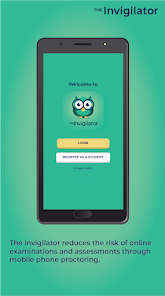
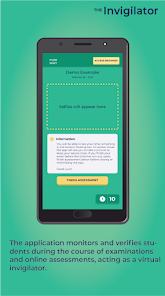
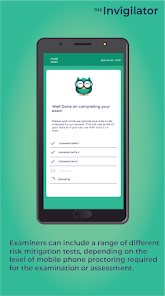
"The Invigilator" is a comprehensive examination monitoring application designed to enhance the integrity of online assessments. One of its standout features is real-time monitoring, which allows educators to oversee students during exams through live video feeds. This ensures that any suspicious behavior can be immediately addressed. Additionally, the app employs advanced AI algorithms to detect unusual patterns, such as eye movement or the presence of unauthorized materials, further bolstering exam security.
Another notable feature is the customizable exam settings, which enable instructors to tailor the assessment environment according to their specific requirements. This includes setting time limits, randomizing questions, and implementing various authentication methods to verify student identities. Furthermore, "The Invigilator" provides detailed analytics and reporting tools, allowing educators to review performance metrics and identify areas where students may struggle. Overall, the app combines technology and pedagogy to create a secure and efficient testing experience.
Using "The Invigilator" is a straightforward process that begins with downloading the application from the official website or app store. Once installed, users need to create an account and log in. Educators can then set up an exam by selecting the desired parameters, such as duration, question types, and security measures. After configuring the exam, instructors can invite students to join by sharing a unique access link.
Students will need to download the app and complete a quick registration process. Before the exam starts, they must ensure their devices meet the technical requirements, including a functioning camera and microphone. During the exam, "The Invigilator" will monitor the students through video and audio feeds, while also analyzing their behavior for any irregularities. After the exam concludes, educators can access detailed reports and analytics to evaluate student performance and uphold academic integrity.
The Invigilator offers several advantages that make it a valuable tool for online assessments. One of the primary benefits is its ability to maintain academic integrity by deterring cheating through real-time monitoring and AI detection features. This can lead to more reliable assessment outcomes and a fair testing environment. Additionally, the app's user-friendly interface simplifies the exam setup process for educators, making it accessible even for those with limited technical expertise.
However, there are also some drawbacks to consider. Privacy concerns may arise due to the constant monitoring of students, which could lead to discomfort or anxiety during exams. Furthermore, technical issues such as connectivity problems or device compatibility can disrupt the testing experience. Lastly, the reliance on technology means that any software glitches or malfunctions could compromise the integrity of the exam. Balancing these pros and cons is essential for institutions considering the implementation of "The Invigilator."
```
 The Invigilator enhances exam integrity and reduces cheating risk. It offers real-time monitoring for immediate issue resolution. Seamless integration with existing exam platforms ensures user-friendly experience. Customizable settings allow tailored invigilation specific to each exam. Comprehensive analytics provide insights for improving future assessments.
 Limited flexibility in scheduling can hinder user convenience. High costs may deter potential users from accessing it. Dependence on technology could lead to issues during critical times.

This app is good, I've never had a bad experience with my exams, it reminded me of everything , including the time I'm left with and to scan and save the pdf
we were told that this app's timer will match the time the university gives you to write an exam. tell me why the app gave me 2 hours to write where as I was supposed to get one hour? being the first time using this app, many of my classmates & I focused on its timer thinking it was in line with the one the university gave us only to find ourselves unable to submit because we ran out of time. I highly recommend you ignore the timer and have a watch next to you. only use the timer for uploading.
I'll be writing on the 16th of May but this app keeps rejecting the verification code. I've uninstalled and reinstalled countless times over the past few days, still the same issue and it keeps sending the same rejected verification code😢
I've never experienced any error during an exam, I love the fact that it constantly reminds you that you must connect your device
capturing script uploads is a nightmare! If the only place you're able to do your exam is a complex and you can't control people's voices outside, it puts you at a huge disadvantage. Perhaps voice authentication or distance of voices should be considered. it's ridiculous. Helpdesk not forthcoming in explaining this situation.
Review Source: Google Play store public user reviews.
Yes, users are encouraged to submit suggestions or feedback through the app or the official website, helping to improve the app's functionality and user experience.
The Invigilator may collect certain personal data necessary for its functionality, such as user identification and exam-related information, but it adheres to privacy regulations and protects user data.
The Invigilator requires an internet connection for most of its functionalities, including real-time monitoring and data submission, and does not support offline use.
To cancel your The Invigilator subscription, you can follow the instructions provided in the app or contact customer support for assistance with the cancellation process.
The cost of a subscription to The Invigilator varies depending on the plan selected, with options for individual users, educational institutions, and organizations. Please check the official website for the latest pricing details.
Yes, you can access customer service options directly from your account dashboard for quick assistance.
Unfortunately, customer numbers cannot be changed. If you have concerns, please contact customer service for further assistance.
To activate your account, click on the activation link sent to your email after registration and follow the prompts.
You can log in by visiting the website and entering your customer number and password in the designated fields.
You can update your account information by logging in and navigating to the account settings section.
- Small UI bug fixes- New assessment assignment functionality
















 Google Play
  App Store