
Version: 2026.3.0
Developer: Target Corporation
 Verified App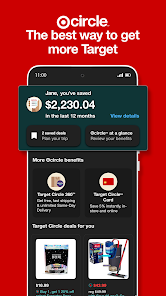
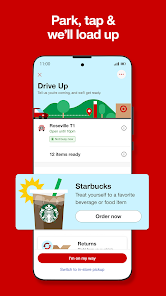
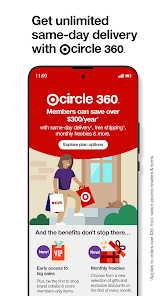
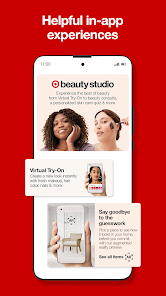

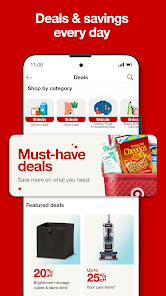
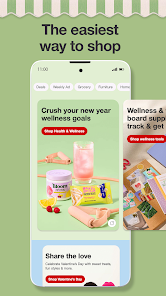

The "Target: Shop Deals & Trends" app offers a variety of features designed to enhance the shopping experience for users. One of its standout features is the ability to browse and discover the latest deals and promotions available at Target stores. Users can easily access weekly ads, exclusive discounts, and seasonal sales, ensuring they never miss out on savings. The app also includes a personalized shopping experience, where users can create wish lists and receive tailored recommendations based on their shopping habits.
Another notable feature is the in-app barcode scanner, which allows users to quickly check prices and product availability while shopping in-store. This feature helps shoppers make informed decisions and compare prices effortlessly. Additionally, the app provides a convenient store locator, enabling users to find the nearest Target location and view store hours. With a user-friendly interface, the app also supports online shopping, allowing users to purchase items directly from their mobile devices and opt for in-store pickup or home delivery.
Using the "Target: Shop Deals & Trends" app is straightforward and user-friendly. To get started, users need to download the app from their device's app store and create an account or log in with their existing Target credentials. Once logged in, users can explore the home screen, which showcases current deals, trending products, and personalized recommendations based on their shopping history.
To find specific items, users can utilize the search bar or browse through various categories. The app also allows users to scan barcodes of products in-store to check prices and availability. For those looking to save more, users can access the weekly ad section to view ongoing promotions and add items to their shopping lists. When ready to purchase, users can add items to their cart and choose between in-store pickup or home delivery options, making the shopping experience seamless and efficient.
The "Target: Shop Deals & Trends" app comes with several advantages that enhance the shopping experience. One of the primary pros is the convenience it offers, allowing users to shop from anywhere and access exclusive deals directly from their mobile devices. The personalized recommendations and wish list features help users keep track of their favorite items and discover new products tailored to their preferences. Additionally, the in-app barcode scanner is a valuable tool for comparing prices and ensuring users get the best deals.
However, there are some cons to consider. Some users have reported occasional glitches or slow loading times, which can hinder the shopping experience. Additionally, while the app provides a wealth of information, navigating through various features may be overwhelming for first-time users. Lastly, not all deals available in-store may be reflected in the app, leading to potential discrepancies. Overall, while the app has its drawbacks, its benefits often outweigh the negatives, making it a useful tool for Target shoppers.

 Target offers a wide variety of products under one roof. Their affordable pricing ensures great value for every shopper. Convenient locations make shopping easily accessible for everyone. Exclusive brands provide unique items not found elsewhere. Exceptional customer service enhances the overall shopping experience.
 Limited product selection compared to larger competitors like Walmart Higher prices on some items can deter budget shoppers Frequent stock shortages may frustrate customers looking for specific products
 Yes, users can submit suggestions and feedback through the app or the Target website, where there are dedicated channels for customer input and inquiries.
Yes, Target collects personal data to enhance user experience, including purchase history, location, and preferences, as outlined in their privacy policy.
Yes, the Target app provides some offline functionality, allowing users to view previously accessed information such as saved items or shopping lists without an internet connection.
Since there is no subscription fee for the Target app or Target Circle, users do not need to cancel a subscription. They can simply stop using the app or opt out of Target Circle if desired.
There is no subscription fee for the Target app; however, users may choose to enroll in Target Circle, which is a loyalty program that offers additional perks and rewards at no cost.
Customer numbers are unique and cannot be changed. If you have concerns, please reach out to customer service for guidance.
Yes, you can log in using your social media accounts if you linked them during registration. If you face issues, contact customer service.
You can reach our customer service team through the 'Contact Us' section on our website or by calling the customer service number provided there.
To activate your account, check your email for an activation link. Click the link to complete the activation process. If you didn’t receive it, contact customer service for help.
Once logged in, go to your account settings to update your information. If you encounter issues, customer service can help.
















 Google Play
  App Store