
Category: Books
Developer: New York Public Library
 Verified App


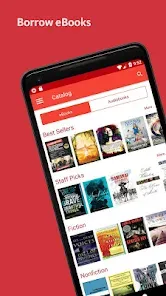
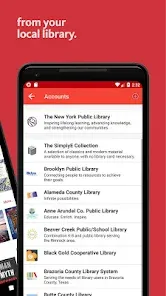
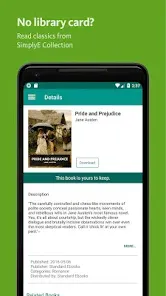
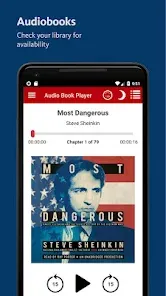
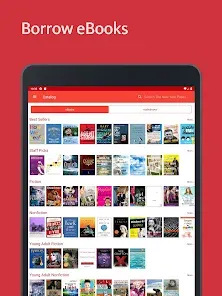
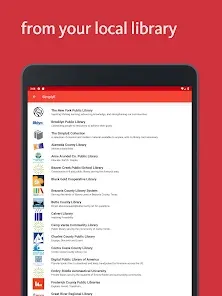
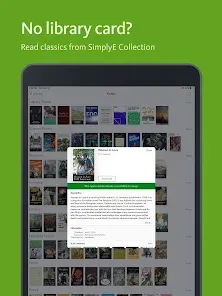
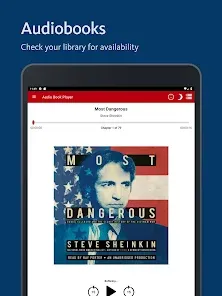
SimplyE is a user-friendly app designed to streamline access to eBooks and audiobooks from various libraries. One of its standout features is the ability to consolidate multiple library catalogs into a single interface, allowing users to browse and borrow from different libraries without needing to switch between apps. This integration simplifies the borrowing process and enhances user experience.
Another notable feature is its personalized reading experience. SimplyE offers customizable settings, such as font size and background color, to cater to individual preferences. Additionally, the app supports offline reading, enabling users to download titles for later access without an internet connection. The search functionality is robust, allowing users to filter results by genre, author, or availability, making it easier to find desired titles.
SimplyE also includes features like bookmarks, notes, and highlights, which enhance the reading experience by allowing users to engage more deeply with the content. Furthermore, the app is compatible with various devices, ensuring that users can enjoy their reading material on smartphones, tablets, or eReaders. Overall, SimplyE is designed to make digital reading more accessible and enjoyable for everyone.
Using SimplyE is straightforward and user-friendly. First, download the app from your device's app store, whether it be iOS or Android. Once installed, open the app and create an account or log in using your library credentials. If your library is part of the SimplyE network, you can easily link your library card to access its collection.
After logging in, you can browse the extensive catalog of eBooks and audiobooks available through your library. Use the search bar to find specific titles or explore different genres. Once you find a book you want to borrow, simply click on it and select the "Borrow" option. The title will be added to your account, and you can start reading or listening immediately.
If you prefer to read offline, SimplyE allows you to download titles directly to your device. To do this, select the download option while viewing the book details. You can manage your borrowed titles through your account, where you can also return books when you're finished. With its intuitive interface, SimplyE makes accessing library resources easier than ever.
SimplyE offers several advantages that enhance the digital reading experience. One of the primary benefits is its ability to aggregate multiple library collections into one app, making it convenient for users to access a wide range of titles without needing to switch between different platforms. The app's user-friendly interface and customizable reading settings also contribute to a pleasant reading experience, allowing users to tailor their preferences.
However, there are some drawbacks to consider. One common issue is that not all libraries are part of the SimplyE network, which may limit access for some users. Additionally, the app may experience occasional technical glitches or slow loading times, which can be frustrating. Furthermore, while the offline reading feature is beneficial, it requires users to download titles in advance, which may not always be feasible.
In summary, SimplyE is a valuable tool for avid readers who want easy access to library resources. While it has its limitations, the app's strengths in convenience and user experience make it a worthwhile option for those looking to explore digital reading.

 Access a vast collection of eBooks and audiobooks in one app. User-friendly interface makes browsing and borrowing effortless. Personalized reading lists help you discover new favorites. Seamless integration with library accounts simplifies borrowing. Offline access allows reading without an internet connection.
 Limited availability of titles can hinder user experience. User interface may be less intuitive for some readers. Offline access requires prior downloads, which can be inconvenient.
  Google Play
  App Store
 Yes, users can submit suggestions or feedback through the app or the official SimplyE website, helping to improve future versions of the app.
SimplyE may collect certain personal data to improve user experience, but it adheres to privacy policies to protect user information.
Yes, SimplyE allows users to download eBooks and audiobooks for offline access, enabling reading or listening without an internet connection.
Since SimplyE does not have a subscription model, there is no need to cancel; users can simply stop using the app or remove it from their devices.
SimplyE does not require a subscription fee, as it primarily allows access to content through library partnerships at no cost to the user.
Yes, you can activate your account by entering your customer number during the setup process in the app.
No, the customer number is used for account activation, while you need your email and password to log in.
You can contact customer service through the app or our website for immediate help with account activation issues.
You can reach our customer service via the support section in the app or by visiting our website for contact details.
To log in, open the app, enter your email and password, and tap 'Log In'.