Category: Auto & Vehicles
Developer: Innova Electronics Corporation
 Verified App


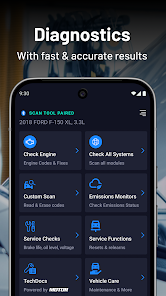
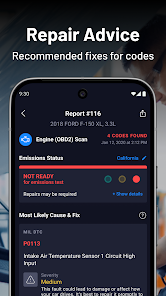
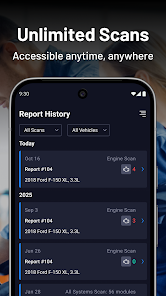
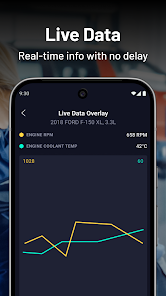
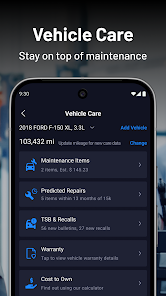
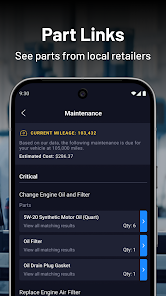
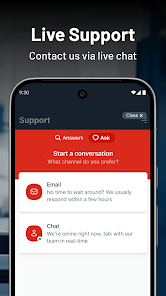
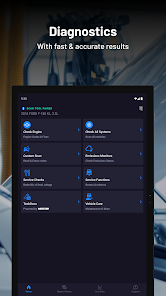
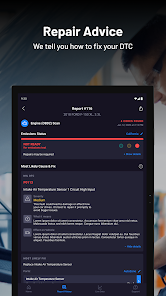
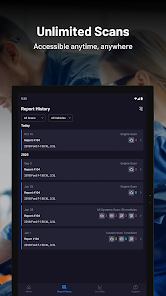
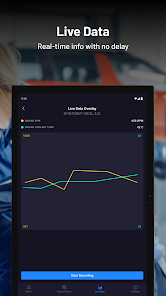
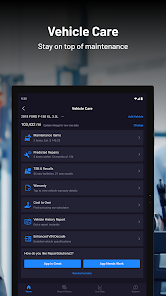
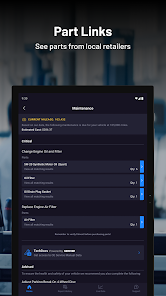
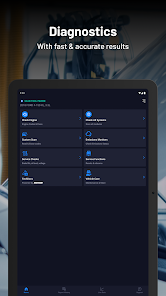
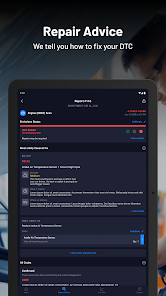
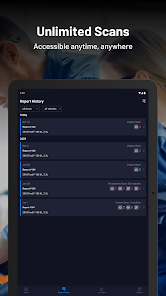
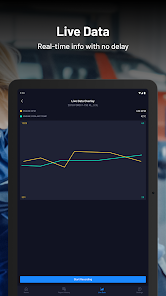
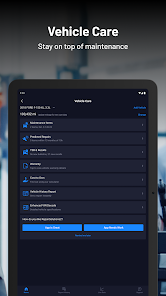
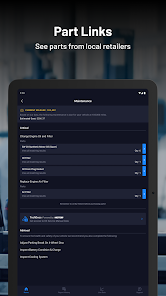
"RepairSolutions2" is a comprehensive automotive repair software designed to assist both professionals and DIY enthusiasts in diagnosing and fixing vehicle issues. One of its standout features is the extensive database of repair information, which includes detailed service manuals, wiring diagrams, and technical service bulletins. This allows users to access crucial information quickly and efficiently, ensuring that repairs are done correctly the first time.
Another notable feature is the interactive diagnostic tool, which guides users through troubleshooting processes based on specific symptoms. This tool helps in identifying potential problems and suggests appropriate solutions, making it easier for users to tackle complex issues. Additionally, "RepairSolutions2" offers a user-friendly interface that simplifies navigation, allowing users to find the information they need without hassle.
The software also includes a parts catalog, enabling users to locate and order necessary components directly from the application. Furthermore, it provides access to a community forum where users can share experiences, ask questions, and receive advice from fellow automotive enthusiasts. Overall, "RepairSolutions2" combines a wealth of resources and tools to enhance the repair experience for all users.
Using "RepairSolutions2" is straightforward and user-friendly, making it accessible for both seasoned mechanics and novices. To get started, users need to download and install the application on their device. Once installed, they can create an account or log in to access the full range of features. The main dashboard presents various options, including vehicle selection, diagnostic tools, and repair information.
To diagnose a vehicle, users can input the make, model, and year of the car, which will then pull up relevant data. The interactive diagnostic tool will guide users through a series of questions based on the symptoms they observe, helping to pinpoint the issue. After identifying the problem, users can access detailed repair instructions, wiring diagrams, and parts lists to assist in the repair process.
Additionally, users can utilize the parts catalog to order necessary components directly through the app. Engaging with the community forum can also provide valuable insights and tips from other users. Overall, "RepairSolutions2" is designed to streamline the repair process, making it easier for users to tackle automotive issues with confidence.
"RepairSolutions2" comes with several advantages that make it a valuable tool for automotive repair. One of the primary pros is its extensive database, which provides users with a wealth of information, including repair manuals and diagnostic tools. This comprehensive resource can significantly reduce the time spent troubleshooting and repairing vehicles. Additionally, the user-friendly interface makes navigation intuitive, allowing users to quickly find the information they need.
Another benefit is the interactive diagnostic feature, which guides users through the troubleshooting process, making it easier to identify issues. The ability to order parts directly through the app is also a significant convenience, saving users time and effort. Furthermore, the community forum fosters a sense of collaboration, enabling users to share knowledge and experiences.

 Access a vast database of repair solutions and guides. Enjoy user-friendly navigation for quick information retrieval. Receive real-time updates on manufacturer recalls and bulletins. Benefit from detailed step-by-step repair instructions. Enhance technician productivity with time-saving resources.
 Limited availability of repair information can hinder quick troubleshooting. High subscription costs may not justify the benefits for occasional users. User interface can be confusing, leading to a steep learning curve.
  Google Play
  App Store

Pretty good app. I just can't get the Live Data to work. The scan tool will be plugged in/connected & on Live Data and showing the data. But when I pull up the app on my phone & go to Live Data....nothing. I don't think live data has ever worked. Even for the 2 previous cars that I had. Not sure what's up there. Other than that, it's great.
I was pleasantly surprised with how great the app was. I've used it on multiple vehicles. Then, I lost connectivity and was no longer able to use it.I had to delete the app from my phone and disconnect the scanner from my Bluetooth and then reboundload the app and rediscover the scanner with the Bluetooth and is working good again.
I've used on my son's friends car to diagnose his check engine Iight, and it was completely different then what the mechanic said, needed a new catalytic converter, turned out it was the O² sensor. Slight price difference. So far I've been impressed, as the app gives you the info of the code, so you don't have to go thru the huge list of codes to find the description of the fault code. Plus you get automatic updates to the database, w/out yearly subscription costs.
Great app so far, told me nothing wrong with one vehicle, but showed me what is due to be checked at the next maintenance interval. It also displayed some possible future issues and a chance of needing to be replaced as well as general costs for replacement. The only issue I have had with connection to my phone was when trying to connect while it was scanning the vehicle. I read afterwards that doesn't work well. So I wait until after the scan is done and have no issues with it connecting!
This is quite possibly the greatest app to have ever apped. I'm not just saying that because a pocket scan tool gives me a tech boner. This app is extremely well designed and developed. It looks good. It loads fast. The interface is easy to use and understand. Dummy-proof step-by-step connecting. Automatic and full system scans. Solutions simply explained. It tells me what to buy, !gives me a part number! And gives me a source to buy the item. I can go on all day.
Review Source: Google Play store public user reviews.
Yes, users are encouraged to submit suggestions or feedback directly through the app or via the official website, where the development team values user input for future improvements.
RepairSolutions2 may collect some personal data to enhance user experience and improve services, but it adheres to privacy policies to protect user information.
Yes, RepairSolutions2 allows users to download certain information for offline access, enabling them to utilize the app even without an internet connection.
Users can cancel their subscription through their account settings within the app or through the app store where they purchased the subscription. Detailed instructions are provided in the app's help section.
Subscription costs for RepairSolutions2 may vary based on the plan selected, typically ranging from monthly to annual options. Users should check the app for current pricing details.
Unfortunately, customer numbers cannot be updated. If you have concerns, please contact customer service for further guidance.
You can reach customer service via our website’s support page or by calling the dedicated support line for immediate assistance with activation issues.
You can contact our customer service team via the support section on our website or by calling the provided phone number. We're here to help!
To activate your account, follow the link in the activation email sent to you after registration. If you didn't receive it, check your spam folder or contact customer service.
Account activation is typically instant, but it may take a few minutes. If you haven’t received an activation email, check your spam folder or contact customer service.
What's New in v2.7.1- Faster, more reliable first-time pairing- Alerts you if Bluetooth turns off mid-scan- 5610v3 firmware: updated LED behavior and Smog Check location- Improved FCA Secure Gateway unlock, plus new Nissan SGW- Odometer readings from certain tools- Erase button in offline engine reports- YouTube how-to videos on older iPhones- Tool 445 pairing in offline mode- Smoother scrolling and visual polish- Major framework refresh for speed, security, and what's next.