
 Home
Home  Apps
Apps  Games
Games  About Us
  Cookies & Privacy Policy
  Terms of Service
Pocket: Save. Read. Grow.
Version: 8.17.14.0
Developer: Mozilla Corporation
 Verified App
 Advertisement


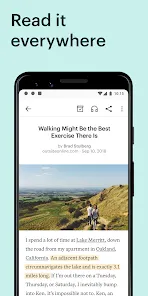
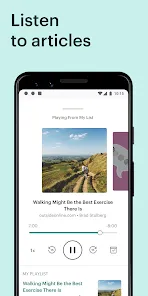



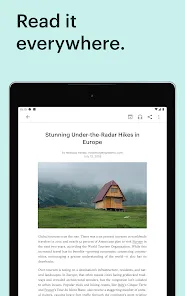



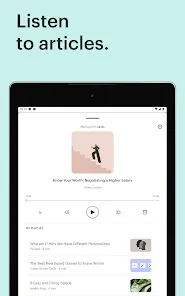


Pocket is your go-to app for saving articles, videos, and stories from the web to read later. With a user-friendly interface, it allows you to curate content that interests you, making it easy to access and enjoy anytime, anywhere. Whether you're on the go or relaxing at home, Pocket helps you discover, save, and grow your knowledge effortlessly. Join millions of users who are transforming the way they consume content with Pocket!
Advertisement
Features of "Pocket: Save. Read. Grow."
"Pocket: Save. Read. Grow." is a versatile application designed to help users save articles, videos, and other web content for later viewing. One of its standout features is the ability to save content from any device or browser, making it easy to curate a personalized reading list. The app also offers a clean, distraction-free reading interface, allowing users to focus on the content without interruptions. Additionally, Pocket provides offline access, enabling users to read saved items without an internet connection.
Another notable feature is the tagging system, which allows users to organize their saved content efficiently. This makes it easier to find specific articles or videos later. Pocket also includes a recommendation engine that suggests articles based on users' interests and reading habits, helping them discover new content. Furthermore, the app integrates seamlessly with various platforms, including social media and news websites, enhancing its usability. Overall, Pocket is a powerful tool for anyone looking to manage their reading material effectively.
How to Use "Pocket: Save. Read. Grow."
Using "Pocket: Save. Read. Grow." is straightforward and user-friendly. To get started, download the app from your device's app store or visit the Pocket website. Once installed, create an account or log in using your existing credentials. To save content, simply click the Pocket button in your browser or use the share feature on your mobile device. This allows you to save articles, videos, and other web content with just a few taps.
After saving content, you can access it through the app or website. The saved items are displayed in a clean, organized format, making it easy to browse through your reading list. You can also use the tagging feature to categorize your saved content for easier retrieval. When you're ready to read, simply select an item, and enjoy a distraction-free reading experience. Additionally, you can adjust the text size and background color to suit your preferences. With these simple steps, you can effectively manage and enjoy your saved content.
Pros & Cons of the App
Like any application, "Pocket: Save. Read. Grow." has its advantages and disadvantages. One of the primary pros is its ability to save content from various sources, making it a versatile tool for users who consume information from multiple platforms. The offline reading feature is another significant advantage, allowing users to access their saved articles without an internet connection. Additionally, the app's clean interface and tagging system enhance the overall user experience, making it easy to organize and find content.
However, there are some cons to consider. One limitation is that the free version has certain restrictions, such as limited access to premium features, which may not meet the needs of all users. Some users may also find the recommendation engine's suggestions to be hit or miss, depending on their interests. Furthermore, while the app is generally user-friendly, new users may require some time to familiarize themselves with all its features. Overall, while Pocket offers valuable tools for content management, it may not be perfect for everyone.
 Google Play
  App Store
 Top Apps







Advertisement
Laden…