
Category: Tools
Developer: Doggo Apps
 Verified App


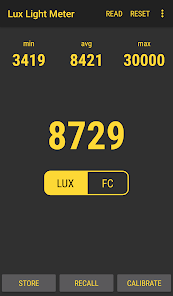
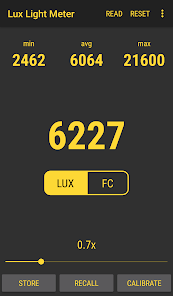
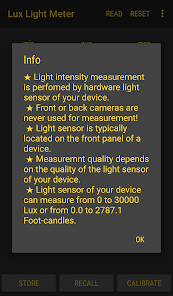
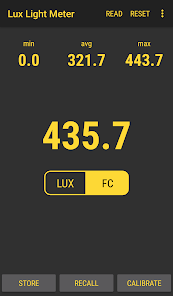
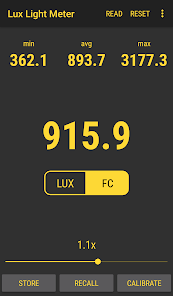
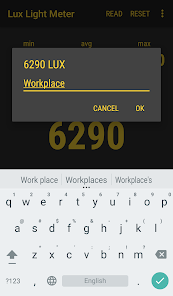
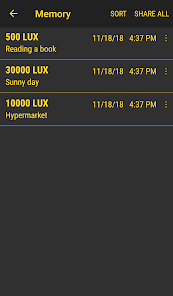
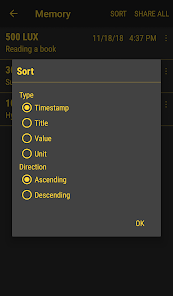
"Lux Light Meter Pro" is a sophisticated application designed for measuring light intensity in various environments. One of its standout features is the ability to provide real-time lux measurements, allowing users to assess lighting conditions instantly. The app utilizes the device's built-in light sensor, ensuring accurate readings without the need for additional equipment. Users can also switch between different measurement units, such as lux and foot-candles, catering to diverse professional needs.
Another notable feature is the data logging capability, which enables users to record and track light levels over time. This is particularly useful for professionals in fields like photography, horticulture, and interior design, where consistent lighting is crucial. The app also includes a customizable interface, allowing users to adjust settings according to their preferences. Additionally, "Lux Light Meter Pro" offers a user-friendly design, making it accessible for both amateurs and experts alike.
Lastly, the app provides detailed analysis tools, including graphs and charts, to visualize light data effectively. This feature enhances the user's ability to make informed decisions based on the collected data, making "Lux Light Meter Pro" a valuable tool for anyone needing precise light measurements.
Using "Lux Light Meter Pro" is straightforward and user-friendly, making it accessible for individuals of all skill levels. To begin, download and install the app from your device's app store. Once installed, open the app, and you will be greeted with a clean interface displaying the current lux measurement. Ensure that your device's light sensor is unobstructed for accurate readings.
To take a measurement, simply point your device towards the light source you wish to evaluate. The app will automatically display the lux level in real-time. If you want to log data, tap the record button to start tracking light levels over a specified period. You can also switch measurement units by accessing the settings menu, allowing you to choose between lux and foot-candles based on your requirements.
For more detailed analysis, explore the app's graphing features, which visualize your light data over time. This can help you identify trends and make informed decisions regarding lighting adjustments. Overall, "Lux Light Meter Pro" is designed to be intuitive, ensuring that users can effectively measure and analyze light levels with ease.
"Lux Light Meter Pro" comes with several advantages that make it a popular choice among users. One of the primary pros is its accuracy; the app leverages the device's built-in sensors to provide reliable lux measurements. This precision is essential for professionals who rely on accurate lighting data for their work. Additionally, the app's user-friendly interface makes it easy for anyone to navigate, regardless of their technical expertise.
Another significant advantage is the data logging feature, which allows users to track light levels over time. This is particularly beneficial for those in fields like photography or agriculture, where consistent lighting is crucial. The ability to switch between measurement units adds to its versatility, catering to a wide range of professional needs.
However, there are some drawbacks to consider. One potential con is that the app's accuracy may vary depending on the device's sensor quality, which can lead to inconsistent readings on older devices. Additionally, while the app is feature-rich, some users may find it overwhelming if they only need basic measurements. Overall, "Lux Light Meter Pro" is a powerful tool, but users should weigh its pros and cons based on their specific needs.

 Accurate light measurements ensure optimal lighting for photography and design. User-friendly interface makes it easy for anyone to operate. Compact design allows for portability and convenience on the go. Real-time data display helps users make immediate adjustments. Versatile settings cater to both professionals and hobbyists alike.
 Limited compatibility with some smartphone models can hinder user experience. The app may drain battery quickly during extended use, affecting usability. Inaccurate readings in certain lighting conditions can lead to unreliable measurements.
The free version is unbelievable in what all and how accurate it seems. Now everywhere I go I have a light meter. I work as a traveling inspector, and the number of tools I sometimes need is an unbelievable number of different tools to have on me. Proper lighting is the most important thing to get right in my field. Now,I always have one handy at the ready.

The developers are lying about what data collect from you. In the 10 minutes that I have had this installed, there were 171 tracking attempts! They say that they only track your location, but this is not true at all. 71 tracking items, not just location. They are selling your info to google, facebook and others. They get a hard pass from me this app. There is absolutely no reason to "aggregate stastics," as the company attempt to deflect. Collecting your info does nothing to improve this app.
Does what is supposed to do in the measurement of light intensity, got another meter, both are very similar in measurement! Reason for 4 stars, might be doing something wrong, but under light source, numbers in constant flux, in other words constantly show too many and very fast light variables , so can be confusing in any particular amounts. If you want a generalization it a great app!!
Works great, my only change would be to mention clearly on app start that it doesn't use phone cameras, and that it uses the phone's hardware light sensor. That's I'm the readme, which is easily accessible, but there's no prompt to read it :) I used this to get an average of the brightness in my home office. This let me set the screen brightness to match, which is helping me reduce eye strain.
I agree with everyone else The pay option is too easily activated and no matter what the developer says about not tracking my tracking app showed 31 different track attempts including GPS coordinates, local IP address, postal code, email address, first name, last name, gender and that's only 7 of the 31 attempts my tracker blocked. There are better options that don't track you. Don't bother replying I wouldn't believe anything you say.
Review Source: Google Play store public user reviews.
Yes, users can submit suggestions or feedback through the app's support or contact section, where they can directly communicate with the development team.
Lux Light Meter Pro prioritizes user privacy and does not collect personal data unless explicitly provided for account-related features.
Yes, Lux Light Meter Pro can be used offline, allowing users to measure light levels without an internet connection.
You can cancel your subscription through your app store account settings, following the instructions provided for managing subscriptions.
The subscription cost varies by region but typically includes monthly and annual pricing options. Check the app store for specific pricing details.
Yes, you can activate your account by entering your customer number during the registration process on our website.
Yes, click on the "Forgot Password?" link on the login page to receive a password reset email.
You can activate your account by following the link sent to your email after registration. If you have issues, contact customer service.
You can reach our customer service team via email at support
To log in, visit our website, click on the "Log In" button, and enter your registered email and password.
★ Major improvements










 Google Play
  App Store