
 Home
Home  Apps
Apps  Games
Games  About Us
  Cookies & Privacy Policy
  Terms of Service
JB4 Mobile
Version: A379
Developer: Dmac Mobile Developments, LLC
 Verified App
 Advertisement
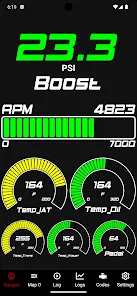
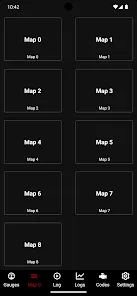
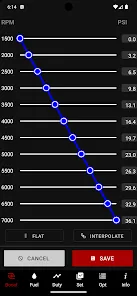
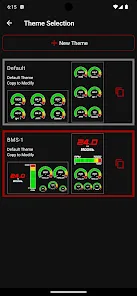
Introducing the JB4 Mobile App, your ultimate companion for enhancing your driving experience! Seamlessly connect with your vehicle to monitor performance, access real-time data, and customize settings at your fingertips. Whether you're a car enthusiast or just looking to optimize your ride, JB4 Mobile empowers you with intuitive features and insights. Stay in control, track your progress, and elevate your driving journey like never before. Download now and unlock the full potential of your vehicle!
Advertisement
Features of "JB4 Mobile"
JB4 Mobile is a powerful application designed for automotive enthusiasts and professionals alike. One of its standout features is real-time data monitoring, which allows users to track various engine parameters directly from their mobile devices. This includes metrics such as boost pressure, air-fuel ratio, and engine temperature, providing valuable insights into vehicle performance.
Another notable feature is the customizable dashboard, enabling users to arrange and display the data that matters most to them. This personalization enhances the user experience, making it easier to focus on critical information while driving or tuning. Additionally, JB4 Mobile supports diagnostic trouble codes (DTC) reading and clearing, which helps users troubleshoot issues efficiently.
The app also offers cloud-based logging, allowing users to store and analyze their data over time. This feature is particularly useful for those who want to track performance improvements or diagnose recurring issues. Furthermore, JB4 Mobile is compatible with a wide range of vehicles, making it a versatile tool for many car owners and tuners.
How to Use "JB4 Mobile"
Using JB4 Mobile is straightforward and user-friendly. First, download the app from your device's app store and install it. Once installed, connect your mobile device to the JB4 tuner via Bluetooth. Ensure that your vehicle is turned on but not necessarily running, as this will allow the app to establish a connection with the tuner.
After connecting, you can navigate through the app's interface to access various features. Start by customizing your dashboard to display the data points that are most relevant to you. This can include engine parameters, boost levels, and more. To monitor real-time data, simply select the desired metrics, and the app will begin displaying live information.
If you encounter any issues, use the DTC feature to read and clear diagnostic trouble codes. This can help you identify and resolve problems quickly. Additionally, take advantage of the cloud logging feature to save your data for future analysis. Regularly reviewing this information can help you optimize your vehicle's performance over time.
Pros & Cons of the App
JB4 Mobile comes with several advantages that make it a popular choice among automotive enthusiasts. One of the primary pros is its real-time data monitoring capability, which provides users with immediate feedback on their vehicle's performance. This feature is invaluable for tuning and troubleshooting, allowing for quick adjustments based on live data.
Another significant advantage is the app's user-friendly interface, which makes it accessible for both beginners and experienced users. The customizable dashboard enhances the user experience, allowing individuals to focus on the metrics that matter most to them. Additionally, the cloud logging feature enables users to track their vehicle's performance over time, making it easier to identify trends and improvements.
 Google Play
  App Store
 Top Apps





Similar Apps

ESPN
Sports

4.3

8 Ball Pool
Sports
4.8

Ballistic X
Sports
3.8

Basket Battle
Sports
4.6

Bowling Crew — 3D bowling game
Sports
4.6

ESPN Fantasy Sports
Sports
4.7

ElkNut
Sports
4.5

F1 TV
Sports
4.4

Fantasy Football Draft Wizard
Sports
4.6

Fishbrain - Fishing App
Sports
4.5

GameChanger
Sports
4.5

Little League Rulebook
Sports
1.3
Advertisement
Laden…