
 Home
Home  Apps
Apps  Games
Games  About Us
  Cookies & Privacy Policy
  Terms of Service
Hue Light App Remote Control
Version: 6.5.4
Developer: Smart Widget Labs Co Ltd
 Verified App
 Advertisement
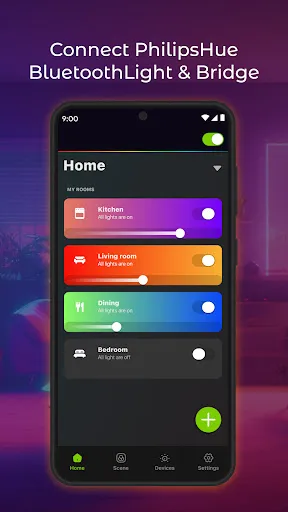
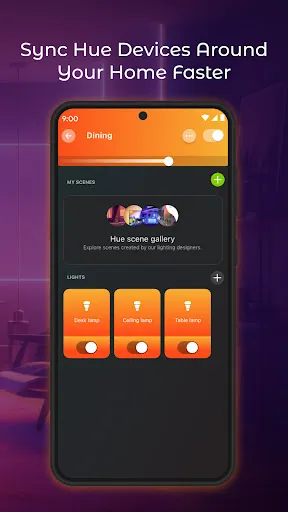
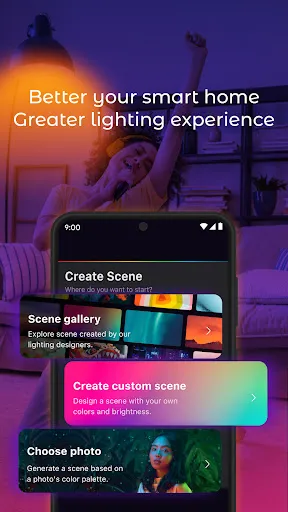
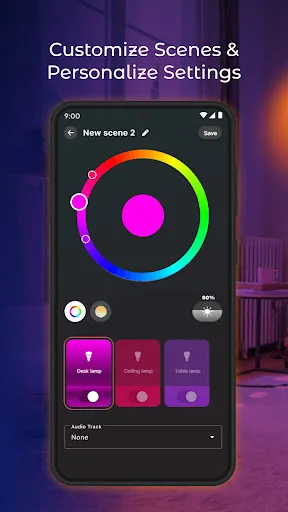
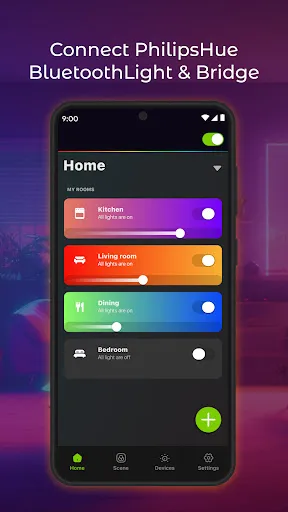
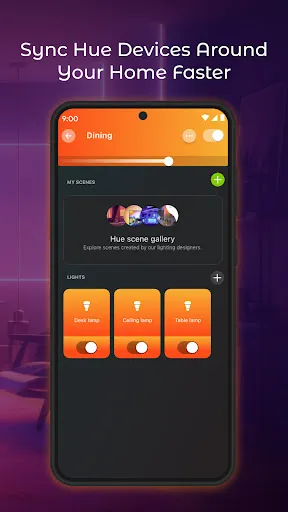
Introducing the Hue Light App Remote Control, your ultimate companion for managing Philips Hue smart lighting. Effortlessly control brightness, color, and ambiance from anywhere in your home. With an intuitive interface, you can create personalized scenes, set schedules, and sync lights to music or movies. Transform your space with just a tap, enhancing your mood and lifestyle. Experience the future of lighting at your fingertips!
Advertisement
Features of "Hue Light App Remote Control"
The "Hue Light App Remote Control" offers a variety of features designed to enhance your smart lighting experience. One of its primary functions is the ability to control multiple Hue lights from a single interface, allowing users to manage their entire lighting setup effortlessly. The app supports customizable scenes, enabling users to create specific moods by adjusting brightness and color settings according to their preferences.
Additionally, the app includes scheduling options, which allow users to set timers for their lights to turn on or off at specific times, promoting energy efficiency and convenience. Integration with voice assistants like Amazon Alexa and Google Assistant is another significant feature, enabling hands-free control of your lighting. The app also provides access to a variety of pre-set light scenes and effects, making it easy to change the ambiance for different occasions. Furthermore, users can monitor their energy usage, helping them make informed decisions about their lighting habits.
How to Use "Hue Light App Remote Control"
Using the "Hue Light App Remote Control" is straightforward and user-friendly. First, download the app from your device's app store and ensure your Hue lights are set up and connected to the same Wi-Fi network. Once the app is installed, open it and follow the on-screen instructions to connect to your Hue Bridge, which acts as the central hub for your smart lights.
After establishing a connection, you can start adding your Hue lights to the app. Simply tap on the "Add Light" option and follow the prompts to discover and connect your lights. Once added, you can control each light individually or group them for simultaneous adjustments. To create custom scenes, navigate to the "Scenes" section, where you can select colors and brightness levels. Scheduling lights is also easy; just go to the "Routines" tab and set your desired times. With these simple steps, you can fully utilize the app's features to enhance your home lighting experience.
Pros & Cons of the App
The "Hue Light App Remote Control" comes with several advantages that make it a popular choice among smart lighting enthusiasts. One of the main pros is its intuitive interface, which allows users to navigate through various features with ease. The app's ability to create customized lighting scenes and schedules enhances the overall user experience, making it convenient to set the right mood for any occasion. Additionally, the integration with voice assistants adds a layer of convenience, allowing for hands-free control.
However, there are some drawbacks to consider. One notable con is that the app requires a stable Wi-Fi connection, which can be a limitation in areas with poor connectivity. Furthermore, while the app is generally reliable, some users have reported occasional connectivity issues with the Hue Bridge, leading to frustration. Lastly, the app may not support all Hue products, which could limit functionality for users with a diverse range of smart lighting devices. Overall, while the app offers many benefits, potential users should weigh these pros and cons before making a decision.
Check All Versions  Google Play
  App Store
Google Play App Store Top Apps





Similar Apps

Rent. Apartments & Homes
House & Home

4.6

Zillow: Homes for Sale & Rent
House & Home
4.8
Vivint
House & Home
4.3
Houzz - Home Design & Remodel
House & Home
4.7
Roku Smart Home
House & Home
4.4

ecobee
House & Home
4.3

Thumbtack: Hire Service Pros
House & Home
4.8

Taskrabbit - Handyman, Errands
House & Home
3.6

Trulia: Homes For Sale & Rent
House & Home
4.7

Realtor.com Real Estate & Rent
House & Home
4.6
Hubspace
House & Home
4.7

B-hyve
House & Home
4.7
Advertisement
Laden…