
 Home
Home  Apps
Apps  Games
Games  About Us
  Cookies & Privacy Policy
  Terms of Service
Google Earth
Version: 10.74.0.2
Developer: Google LLC
 Verified App
 Advertisement

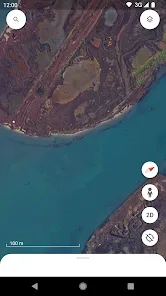
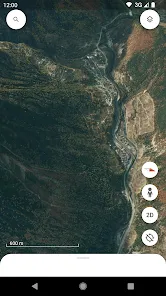
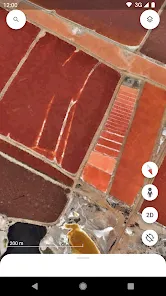
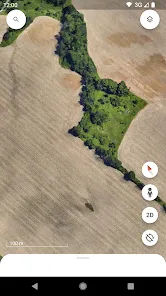
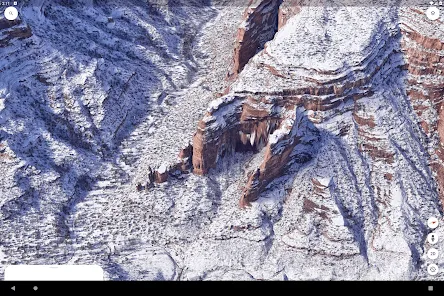
Google Earth is a powerful virtual globe application that allows users to explore the world from their devices. With stunning satellite imagery, 3D terrain, and detailed maps, it offers an immersive experience for discovering geographical features, landmarks, and cultures. Users can zoom in on specific locations, view historical imagery, and even take guided tours. Whether for education, travel planning, or simply satisfying curiosity, Google Earth brings the planet to your fingertips.
Advertisement
Features of Google Earth
Google Earth is a powerful virtual globe that allows users to explore the planet in a highly interactive manner. One of its standout features is the 3D representation of terrain and buildings, which provides a realistic view of various locations around the world. Users can zoom in and out, rotate the view, and tilt the perspective to gain a better understanding of geographical features.
Another notable feature is the extensive database of satellite imagery, which is regularly updated to provide the most current views of the Earth. Users can also access historical imagery, allowing them to see how specific locations have changed over time. Additionally, Google Earth offers layers that display information such as roads, borders, and place names, enhancing the user experience.
Furthermore, Google Earth includes a "Voyager" feature that offers guided tours and educational content, making it an excellent tool for learning about different cultures and environments. Users can also create and share their own maps and annotations, making it a versatile platform for both personal exploration and educational purposes.
How to Use Google Earth
Using Google Earth is straightforward and user-friendly. To get started, users need to download the application or access the web version through their browser. Once opened, users can navigate the globe by clicking and dragging the mouse or using the navigation controls on the screen. Zooming in and out can be done with the scroll wheel or the zoom buttons.
To search for specific locations, users can enter the name of a place in the search bar. Google Earth will then fly to that location, providing a detailed view. Users can explore various features, such as 3D buildings and terrain, by clicking on the icons available on the interface. The "Voyager" feature can be accessed to discover curated content and guided tours.
For those interested in creating custom maps, Google Earth allows users to add placemarks, paths, and polygons. These can be saved and shared with others, making it a great tool for projects or presentations. Overall, Google Earth offers a rich and immersive experience for anyone looking to explore the world from their device.
Pros & Cons of the App
Google Earth comes with a variety of advantages that make it a popular choice among users. One of the primary benefits is its extensive and detailed satellite imagery, which allows for an immersive exploration of the planet. The 3D terrain and building features enhance the visual experience, making it easier to understand geographical contexts. Additionally, the educational resources available through the "Voyager" feature provide valuable insights into different cultures and environments.
However, there are some drawbacks to consider. One of the main cons is that the application can be resource-intensive, requiring a powerful device for optimal performance. Users with older hardware may experience lag or crashes. Furthermore, while the app is generally user-friendly, some features may have a learning curve for new users. Additionally, the availability of certain features may vary based on geographic location, limiting the experience for some users.
In summary, while Google Earth offers a wealth of features and benefits for exploration and education, potential users should be aware of its system requirements and the learning curve associated with some functionalities. Balancing these pros and cons can help users make the most of this powerful tool.
 Google Play
  App Store
 Top Apps





Similar Apps

GasBuddy: Find & Pay for Gas
Travel & Local

3.8

United Airlines
Travel & Local
4.7

Airbnb
Travel & Local
4.4

American Airlines
Travel & Local
4.6

ArriveCAN
Travel & Local
4.8

Booking.com: Hotels & Travel
Travel & Local
4.5

Fly Delta
Travel & Local
4.8

LiveATC for Android
Travel & Local
3.9

OruxMaps GP
Travel & Local
4.3

PeakFinder
Travel & Local
4.3
US Public Lands
Travel & Local
3.7

Upside: Cash Back - Gas & Food
Travel & Local
4.6
Advertisement
Laden…