
 Home
Home  Apps
Apps  Games
Games  About Us
  Cookies & Privacy Policy
  Terms of Service
GarageBand
Version: 2.3.18
Developer: Apple
 Verified App
 Advertisement
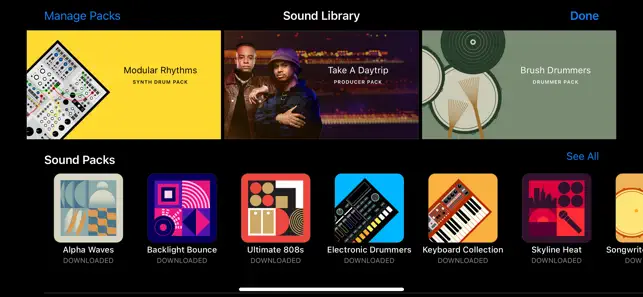
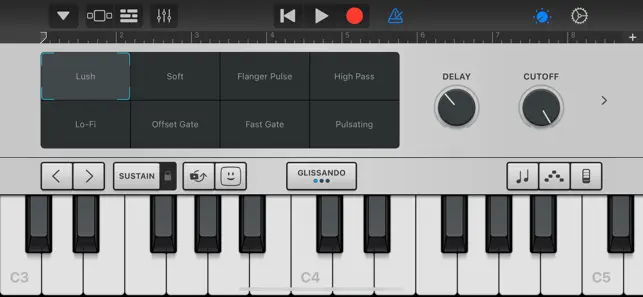
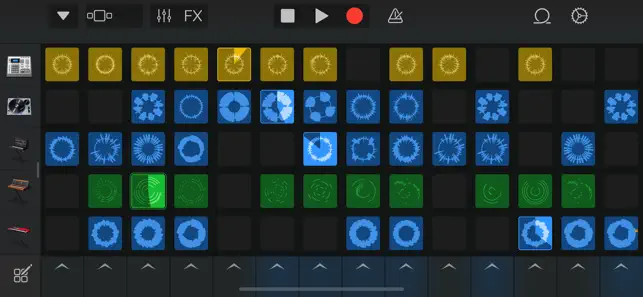


GarageBand is a user-friendly digital audio workstation developed by Apple, designed for music creation and production. Available on macOS and iOS, it offers a wide range of virtual instruments, audio effects, and recording capabilities, making it accessible for beginners and experienced musicians alike. With its intuitive interface, users can easily compose, edit, and share their music, fostering creativity and collaboration. Whether you're recording vocals, playing instruments, or mixing tracks, GarageBand provides the tools to bring your musical ideas to life.
Advertisement
Features of GarageBand
GarageBand is a powerful digital audio workstation that offers a wide array of features for music creation and editing. One of its standout features is the user-friendly interface, which makes it accessible for beginners while still providing advanced tools for experienced musicians. The software includes a variety of virtual instruments, such as keyboards, guitars, and drums, allowing users to create diverse musical compositions. Additionally, GarageBand supports MIDI input, enabling users to connect external instruments and record them directly into the software.
Another notable feature is the extensive library of loops and samples, which can be easily dragged and dropped into projects. This library covers various genres, providing users with a rich palette of sounds to enhance their music. GarageBand also includes powerful editing tools, such as the ability to cut, copy, and paste audio clips, as well as apply effects like reverb and EQ. Furthermore, the software allows for multi-track recording, enabling users to layer multiple audio tracks for a fuller sound. Overall, GarageBand is a versatile tool that caters to both novice and professional musicians alike.
How to Use GarageBand
Using GarageBand is a straightforward process that begins with downloading and installing the application on your Mac or iOS device. Once installed, you can create a new project by selecting a template that suits your musical style, whether it be a song, podcast, or instrumental piece. The interface is divided into sections, including the track area, where you can add and arrange your audio tracks, and the library, which provides access to instruments and loops.
To start making music, you can either record live instruments using a microphone or MIDI keyboard or utilize the built-in virtual instruments. Simply select an instrument from the library, and you can begin playing and recording. You can also enhance your tracks by adding loops from the extensive library, which can be customized to fit your project. Once your tracks are recorded, you can edit them using the various tools available, such as trimming, splitting, and applying effects. Finally, when you’re satisfied with your composition, you can export your project in various formats for sharing or further editing.
Pros & Cons of GarageBand
GarageBand comes with several advantages that make it a popular choice among musicians and podcasters. One of the primary pros is its user-friendly interface, which is designed to be intuitive for beginners while still offering advanced features for seasoned users. The software is free for Mac and iOS users, making it an accessible option for those looking to explore music production without a financial commitment. Additionally, GarageBand's extensive library of loops and virtual instruments provides a rich resource for creativity, allowing users to experiment with different sounds and styles.
However, GarageBand also has its drawbacks. One significant con is that it is only available on Apple devices, limiting its accessibility for Windows users. While it offers a robust set of features, some advanced users may find it lacking in certain professional-grade capabilities compared to more sophisticated software like Logic Pro or Ableton Live. Furthermore, the software can be resource-intensive, which may lead to performance issues on older devices. Overall, while GarageBand is an excellent tool for beginners and casual users, those seeking more advanced features may need to consider other options.
Check All Versions  Google Play
  App Store
Google Play App Store Top Apps





Similar Apps

Tubidy : Music, Videos, Songs
Music

4.5
A Dance of Fire and Ice
Music
4.6

Beatstar - Touch Your Music
Music
4.6

Cytus II
Music
4.1

FNF Music Battle Full Mod
Music
4

HATSUNE MIKU: COLORFUL STAGE!
Music
4.5

Incredibox
Music
4.9

Muse Dash
Music
4.5
My Singing Monsters Composer
Music
4.2
Piano Tiles
Music
4.2

Piano Star
Music
4.4
Just Dance Now
Music
3.9
Advertisement
Laden…