
 Home
Home  Apps
Apps  Games
Games  About Us
  Cookies & Privacy Policy
  Terms of Service
Find My iPhone
Version: 4.0
Developer: Apple
 Verified App
 Advertisement
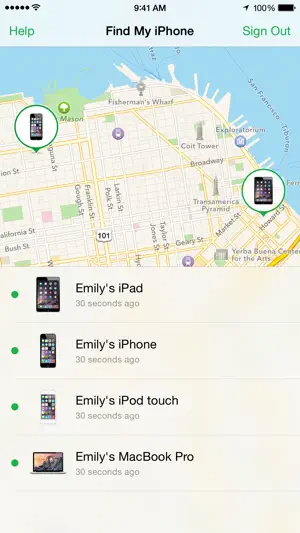
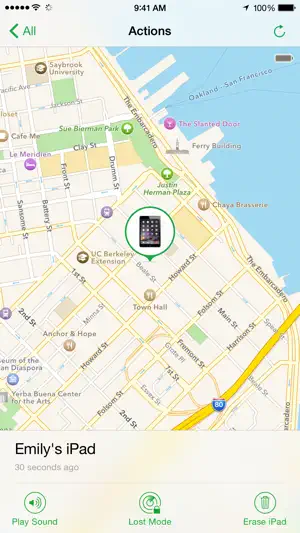
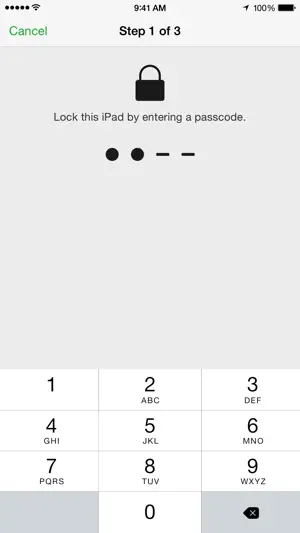
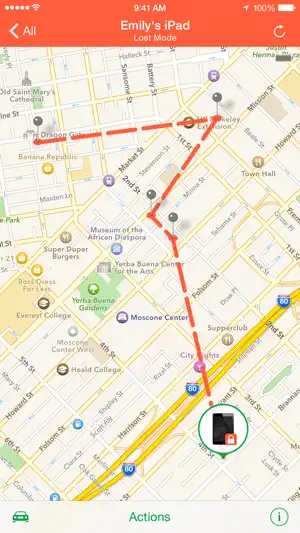
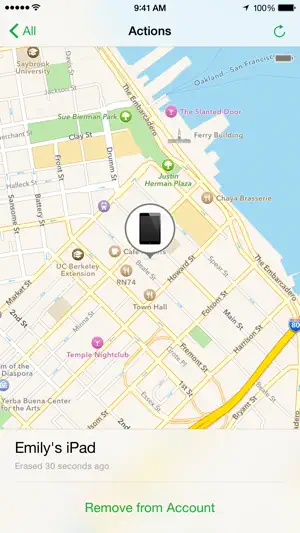


"Find My iPhone" is a powerful app designed to help users locate their lost or stolen Apple devices. By leveraging GPS technology and iCloud, it allows you to track the location of your iPhone, iPad, Mac, or Apple Watch. With features like remote locking, data protection, and the ability to play a sound to help find your device, "Find My iPhone" ensures peace of mind and enhances the security of your Apple products.
Advertisement
Features of "Find My iPhone"
"Find My iPhone" is a powerful tool designed to help users locate their Apple devices. One of its primary features is the ability to track the real-time location of your iPhone, iPad, or Mac on a map. This is particularly useful if you misplace your device or if it gets stolen. The app also allows you to play a sound on your device, making it easier to find if it's nearby but out of sight.
Another significant feature is the "Lost Mode," which locks your device and displays a custom message on the screen, providing a contact number for anyone who finds it. Additionally, users can remotely erase their device to protect sensitive information in case of theft. The app also integrates with iCloud, allowing you to access your device's location from any web browser. Furthermore, "Find My iPhone" can help locate other Apple devices linked to the same Apple ID, making it a comprehensive solution for tracking multiple devices.
How to Use "Find My iPhone"
Using "Find My iPhone" is straightforward and can be done in a few simple steps. First, ensure that the feature is enabled on your device by going to Settings, tapping on your name, selecting "Find My," and turning on "Find My iPhone." This will allow your device to be tracked even if it is offline, as long as it has been connected to the internet at some point.
To locate your device, you can use another Apple device with the "Find My" app installed or access the iCloud website from any browser. Log in with your Apple ID, and you will see a list of devices associated with your account. Select the device you want to locate, and its location will be displayed on the map. You can also choose to play a sound, enable Lost Mode, or erase the device remotely if necessary. Following these steps ensures that you can quickly and effectively locate your Apple devices when needed.
Pros & Cons of the App
"Find My iPhone" offers several advantages that make it a valuable tool for Apple users. One of the main pros is its ability to locate lost or stolen devices quickly, which can provide peace of mind. The remote locking and erasing features enhance security, ensuring that personal information remains protected. Additionally, the integration with iCloud allows for easy access from any device, making it convenient for users to track their devices from anywhere.
However, there are some drawbacks to consider. For instance, if the device is turned off or has no internet connection, its location cannot be tracked. Additionally, some users may find the setup process a bit complicated, especially if they are not familiar with Apple’s ecosystem. Privacy concerns can also arise, as the app requires location services to be enabled, which some users may be uncomfortable with. Overall, while "Find My iPhone" is a powerful tool, it is essential to weigh its pros and cons based on individual needs and preferences.
Check All Versions  Google Play
  App Store
Google Play App Store Top Apps





Similar Apps

My Verizon
Utilities

4.7

British Gas
Utilities
3.2

T-Mobile
Utilities
4.7

SayHi Translate
Utilities
4.6

Hushed: US Second Phone Number
Utilities
4.6

Verizon My Fios
Utilities
1

Opera Touch
Utilities
4.7

Xfinity My Account
Utilities
1

Cubohue
Utilities
1

My Boost
Utilities
1
iBend Pipe
Utilities
4.2

FORScan Lite
Utilities
3.2
Advertisement
Laden…