Category: Maps & Navigation
Developer: Wallbox
 Verified App


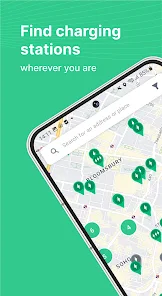
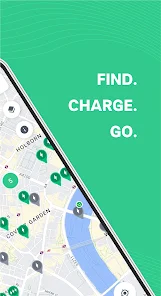
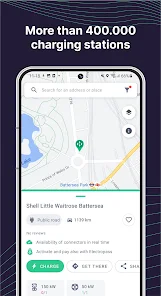
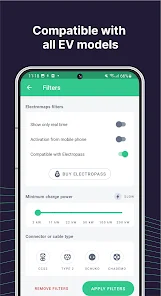
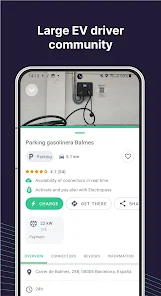
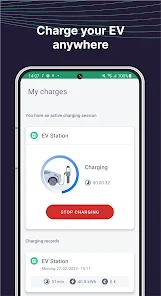
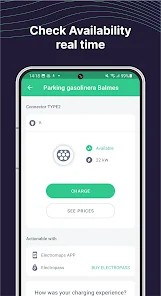
"Electromaps: Charging Stations" is a comprehensive application designed for electric vehicle (EV) users, providing a range of features to enhance the charging experience. One of its standout features is the extensive database of charging stations, which includes real-time information on availability, types of chargers, and their operational status. Users can filter stations based on their preferences, such as fast charging or specific connector types, ensuring they find the most suitable option for their vehicle.
Additionally, the app offers route planning capabilities, allowing users to map out their journeys while considering charging stops along the way. This feature is particularly useful for long-distance travel, as it helps users avoid running out of battery. The app also includes user-generated reviews and ratings for each charging station, providing insights into the quality and reliability of the facilities. Furthermore, users can track their charging history and expenses, making it easier to manage their EV usage and costs.
Using "Electromaps: Charging Stations" is straightforward and user-friendly. After downloading the app, users can create an account or log in as a guest. The main interface displays a map with nearby charging stations, which can be zoomed in or out for better visibility. Users can tap on any station icon to view detailed information, including the type of chargers available, their operational status, and user reviews.
To find a charging station, users can utilize the search function by entering their location or destination. The app will then display a list of nearby stations, complete with directions and estimated travel times. For those planning longer trips, the route planner feature allows users to input their starting point and destination, automatically suggesting optimal charging stops along the way. Users can also save their favorite stations for quick access in the future, making the app a convenient tool for EV owners.
The "Electromaps: Charging Stations" app comes with several advantages that make it a valuable resource for electric vehicle users. One of the primary benefits is its extensive database of charging stations, which is continually updated to reflect real-time availability. This feature helps users avoid wasted time searching for open chargers. Additionally, the app's user reviews provide insights into the quality of each station, allowing users to make informed decisions about where to charge.
However, there are some drawbacks to consider. While the app is generally reliable, users have reported occasional inaccuracies in the information provided, such as outdated station statuses. Furthermore, the app may not cover all regions equally, leading to gaps in available data in less populated areas. Lastly, some users may find the interface slightly cluttered, which can make navigation challenging for first-time users. Overall, while "Electromaps" offers significant benefits, potential users should be aware of its limitations.

 Access to a wide network of charging stations across various locations. Real-time availability updates help you find open stations easily. User-friendly app interface simplifies the charging process for all users. Flexible payment options make transactions quick and convenient. Community-driven reviews enhance trust and improve your charging experience.
 Limited availability of charging stations can lead to longer wait times for users. Inconsistent charging speeds may frustrate users needing quick top-ups. Some locations may lack essential amenities, impacting the overall charging experience.

I purchased a electropass RFID card. The activation code did not work. I tried to connect with them via email. They never answered. I tried the app support button, unsurprisingly, only the AI chat bot works, creating a ticket always fails asking to try again in a few minutes. It is impossible to contact a human to solve an issue. Use the app but better don't pay for any premium feature since support is non existent.
Is this a scam? 50 euro upfront top-up. I have tried my new card about 15 times now on different machines. it never worked once. those same machines worked using the providers app. electropass never works. the electromap confirms it should work with electropass. I use the card. I can't create a support ticket as it always says error, try again in a few minutes. the chatbot does not give me an email. Can't contact support, can't charge, 50 euros down the drain.
You have to put money in a wallet (at least €20) before you can use this app. No indication of what plug you will activate. Of course I activated the wrong plug and had to move my car. In the mean time the activation had timed out, but the plug was locked. It would not reactivate until after ten minutes! Worst of all, every time you press activate, you get a pop-up advert with a timer for 4 seconds which you have to wait for. And I won't even mention the atrocious registration process.
Ok to use, but does not remember the last location you were looking at. Demands location info to be able to charge, making it impossible to charge remotely (e.g. friend borrows your car). PLEASE remove requirement for location to charge, replace it with a warning like in other apps. Needs better identification of operator on charging station info and whether other payment types (e.g. contactless) accepted
Many stations missing and the ones that are here are more expansive than other cards (elli, chargemap). I have 100eur credit ok the card and have a big problem to spend it.
Review Source: Google Play store public user reviews.
Yes, users can submit suggestions or feedback through the app's support feature or by contacting customer service directly via their website.
Electromaps: Charging stations may collect personal data as outlined in their privacy policy, primarily for improving user experience and functionality.
Yes, Electromaps: Charging stations allows users to access certain features offline, such as previously viewed charging station information and maps.
Users can cancel their subscription through the app settings or their respective app store account settings, depending on the platform used for the subscription.
Subscription costs for Electromaps: Charging stations can vary based on the selected plan, so users should check the app for the most current pricing information.
Unfortunately, customer numbers are unique identifiers and cannot be changed. If you have concerns, please contact customer service for further assistance.
Yes, you can log in using your social media accounts if you selected that option during account creation. Just click the respective button on the log in page.
You can reach our customer service via the support section on our website or through the app's help feature. We’re here to assist you!
To activate your account, check your email for the activation link we sent after registration. Click on it to complete the activation.
If you didn’t receive the activation email, please check your spam folder. If it’s not there, contact customer service for help.










 Google Play
  App Store