Version: 9.10.5
Developer: CLZ
 Verified App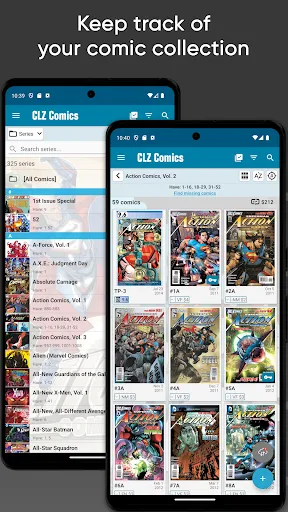
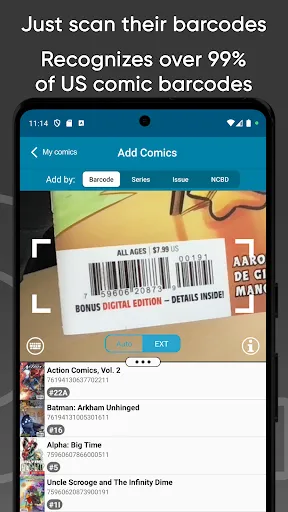
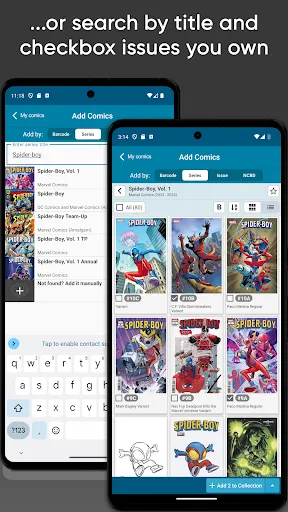
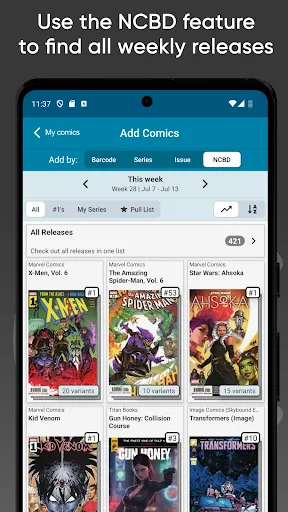
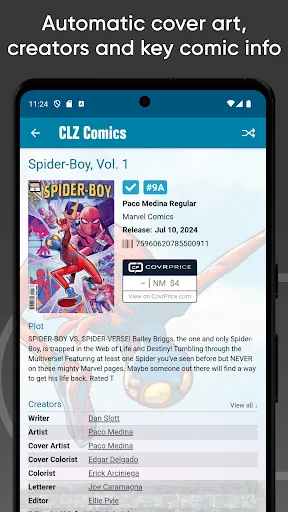
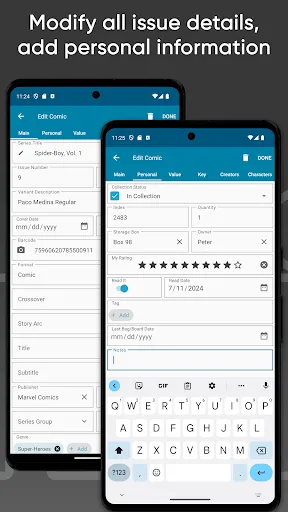
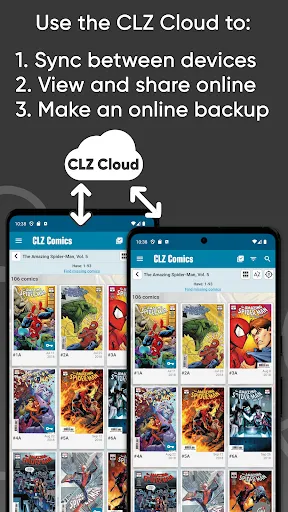
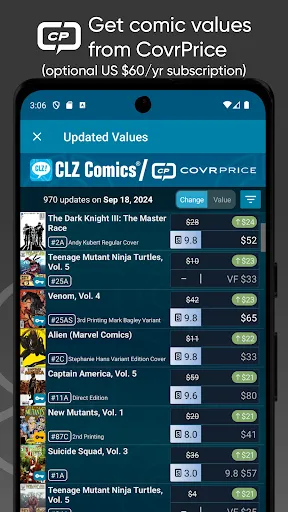
CLZ Comics is a comprehensive comic book database application designed for collectors and enthusiasts. One of its standout features is the ability to catalog your comic book collection effortlessly. Users can add comics by scanning barcodes or searching the extensive online database, which includes detailed information about each comic, such as title, issue number, publisher, and release date. This makes it easy to keep track of what you own and what you still need.
Another notable feature is the customizable collection management system. Users can create their own categories, track the condition of their comics, and even add personal notes. The app also offers a powerful search function, allowing users to filter their collection by various criteria, such as series, publisher, or year. Additionally, CLZ Comics provides cloud syncing, ensuring that your collection is accessible across multiple devices. The app also includes a community feature, where users can connect with other comic book fans, share their collections, and discuss their favorite titles.
Using CLZ Comics is straightforward and user-friendly. To get started, download the app from your device's app store and create an account. Once logged in, you can begin adding comics to your collection. The app allows you to add comics by scanning their barcodes or searching for them in the online database. Simply point your device's camera at the barcode, and the app will automatically retrieve the comic's details.
After adding comics, you can organize your collection by creating custom categories or using the built-in sorting options. The app also allows you to track the condition of each comic, making it easier to manage your collection's value. To enhance your experience, explore the community features where you can connect with other collectors, share insights, and participate in discussions. Regularly back up your collection to the cloud to ensure that your data is safe and accessible from any device. Overall, CLZ Comics offers a seamless way to manage and enjoy your comic book collection.
CLZ Comics comes with several advantages that make it a popular choice among comic book collectors. One of the primary pros is its extensive database, which includes a vast array of comic titles, making it easy to find and catalog your collection. The barcode scanning feature is another significant benefit, allowing for quick and efficient data entry. Additionally, the app's user-friendly interface makes navigation simple, even for those who may not be tech-savvy. The cloud syncing feature ensures that your collection is always up-to-date and accessible from multiple devices.
However, there are some drawbacks to consider. One of the main cons is that the app requires a subscription for full access, which may deter some users. Additionally, while the database is extensive, it may not include every comic title, particularly independent or lesser-known issues. Some users have also reported occasional bugs or glitches, which can disrupt the user experience. Overall, while CLZ Comics offers a robust set of features for comic book collectors, potential users should weigh these pros and cons before committing to the app.

 Access a vast collection of comic book titles and issues. Easily track your comic book inventory and wish list. Discover detailed information about creators and story arcs. Enjoy seamless organization with customizable sorting and filtering options. Connect with a community of fellow comic book enthusiasts and collectors.
 Limited user interface options can hinder navigation and discovery. Outdated information may lead to inaccuracies in comic details. Subscription costs may be a barrier for casual users.
  Google Play
  App Store
 Yes, CLZ Comics encourages users to submit suggestions and feedback through their support channels or community forums.
CLZ Comics may collect personal data to provide its services, but users can review its privacy policy for detailed information on data handling practices.
Yes, CLZ Comics allows users to access their collection offline, although some features may require an internet connection.
Users can cancel their subscription through their account settings in the app or by contacting customer support for assistance.
Subscription prices for CLZ Comics vary based on the plan selected, with options for monthly or annual billing.
Unfortunately, customer numbers cannot be changed. If you need assistance, please contact customer service for support.
To activate your account, simply log in with your customer number and follow the on-screen instructions to complete the activation process.
You can reach our customer service via the support section on our website or by emailing support
Log in to your account, navigate to account settings, and update your email address there. Save the changes to ensure it's updated.
If your account is activated and you're still unable to log in, double-check your login credentials and contact customer service for additional help.