
 Home
Home  Apps
Apps  Games
Games  About Us
  Cookies & Privacy Policy
  Terms of Service
Camera endoscope / OTG USB
Version: 41
Developer: Flavapp
 Verified App
 Advertisement
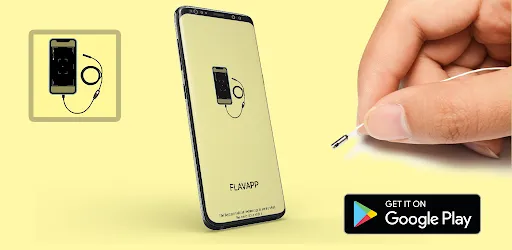
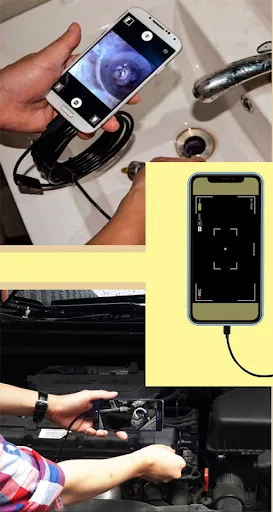
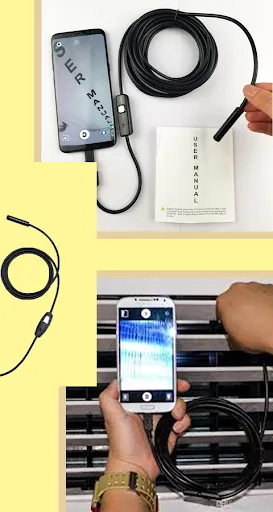
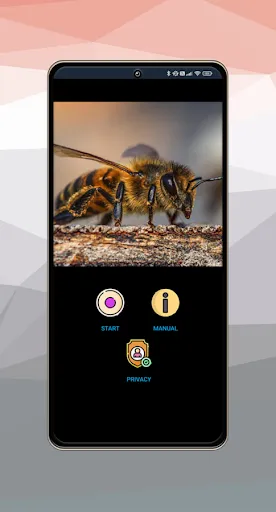
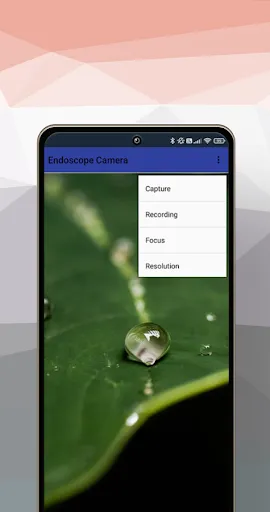
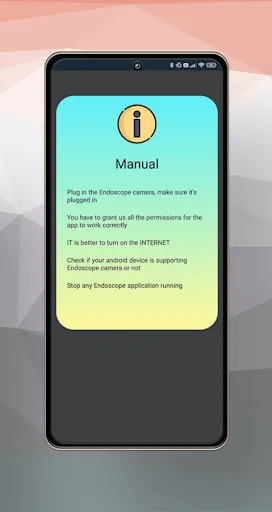
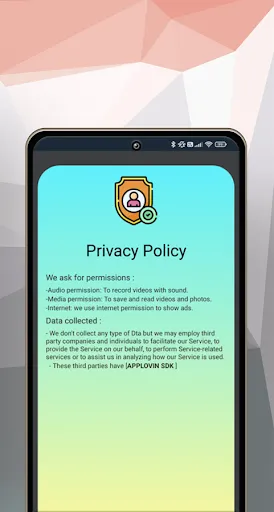
Introducing the Camera Endoscope / OTG USB app, your ultimate tool for exploring hard-to-reach places with ease. Designed for use with USB endoscopes, this app allows you to view and capture high-quality images and videos directly on your device. Whether you're inspecting pipes, engines, or other tight spaces, our user-friendly interface ensures a seamless experience. Unlock the potential of your endoscope and discover a new world of inspection possibilities right at your fingertips!
Advertisement
Features of Camera Endoscope / OTG USB
The Camera Endoscope with OTG USB is a versatile tool designed for various inspection tasks. One of its primary features is its high-resolution camera, which typically ranges from 640x480 to 1920x1080 pixels, allowing for clear and detailed images. This makes it ideal for inspecting hard-to-reach areas such as pipes, engines, and other confined spaces. The flexible cable, often measuring between 3 to 10 meters, provides the necessary reach to navigate through tight spots.
Another notable feature is the LED lighting integrated into the camera, which illuminates dark areas, ensuring visibility during inspections. The device is compatible with various operating systems, including Android and Windows, making it easy to connect via OTG USB. Many models also come with adjustable settings for brightness and focus, enhancing the user experience. Additionally, some endoscopes are waterproof, allowing for use in wet environments without damage.
Overall, the Camera Endoscope with OTG USB is a practical tool for both professionals and DIY enthusiasts, offering a combination of portability, functionality, and ease of use.
How to Use Camera Endoscope / OTG USB
Using a Camera Endoscope with OTG USB is a straightforward process that can be accomplished in a few simple steps. First, ensure that your device is compatible with OTG functionality. Most modern smartphones and tablets support this feature, but it’s always good to check. Once confirmed, connect the endoscope to your device using the OTG USB adapter. You may need to download a compatible app from the app store to view the camera feed.
After installing the app, launch it and follow any on-screen instructions to set up the camera. Once the camera is activated, you can begin your inspection. Carefully maneuver the flexible cable into the area you wish to inspect, using the app to view real-time footage. Adjust the brightness settings if necessary to enhance visibility. After completing your inspection, disconnect the endoscope and store it properly to ensure its longevity.
With practice, using a Camera Endoscope becomes an efficient way to conduct inspections in various settings, from home repairs to automotive diagnostics.
Pros & Cons of the App
When considering the use of a Camera Endoscope with OTG USB, it’s essential to evaluate the associated app's pros and cons. One significant advantage is the convenience of real-time viewing, which allows users to inspect areas without disassembly. The app typically offers features such as image capture and video recording, enhancing the inspection process. Additionally, many apps are user-friendly, making them accessible for individuals with varying levels of technical expertise.
However, there are some drawbacks to consider. Some users may experience connectivity issues, particularly with older devices that may not support OTG functionality. Additionally, the quality of the app can vary significantly between manufacturers, leading to inconsistent user experiences. Some apps may also contain ads or require in-app purchases for advanced features, which can be frustrating. Lastly, while the camera quality is generally good, it may not meet the expectations of professional users who require high-end specifications.
In summary, while the app associated with a Camera Endoscope offers numerous benefits, potential users should weigh these against the limitations to determine if it meets their specific needs.
Check All Versions  Google Play
  App Store
Google Play App Store Top Apps





Similar Apps
Unistellar
Libraries & Demo

3.7
Wifi Connecter Library
Libraries & Demo
3.9

Cardboard
Libraries & Demo
3.5

Tradutor Portugues Espanhol
Libraries & Demo
4.1
Test DPC
Libraries & Demo
4.1
Addons for Melon
Libraries & Demo
4.2
AirPlay - Cast Screen
Libraries & Demo
3.9
Apple Carplay
Libraries & Demo
0
Apple tv Remote
Libraries & Demo
4.3
Apple Watch for Android
Libraries & Demo
4
Camera Block: Guard & Anti spy
Libraries & Demo
4.5
Car Play for Android/Auto sync
Libraries & Demo
0
Advertisement
Laden…