Category: Education
Developer: Test Prep Technologies
 Verified App


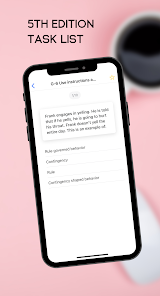
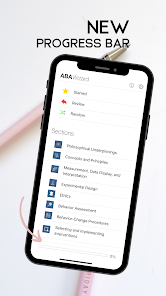
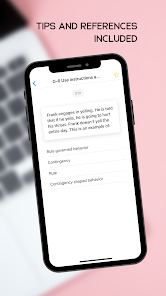
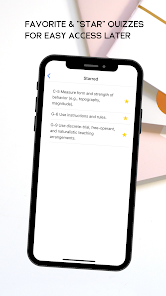
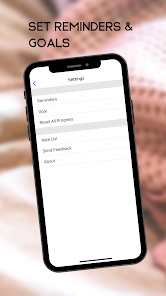
"ABA Wizard" is a comprehensive tool designed to assist professionals in the field of Applied Behavior Analysis (ABA). One of its standout features is the ability to create and customize behavior intervention plans tailored to individual client needs. This flexibility allows practitioners to address specific behavioral challenges effectively. Additionally, the app includes a data collection system that enables users to track progress over time, ensuring that interventions are data-driven and evidence-based.
Another notable feature is the built-in assessment tools, which help practitioners evaluate a client's skills and needs. These assessments can guide the development of targeted interventions. The app also offers a library of resources, including articles and videos, to support ongoing professional development. Furthermore, "ABA Wizard" provides a user-friendly interface, making it accessible for both seasoned professionals and those new to the field. Overall, the combination of customizable plans, data tracking, and educational resources makes "ABA Wizard" a valuable asset for ABA practitioners.
Using "ABA Wizard" is straightforward and user-friendly, making it accessible for practitioners at all levels. To get started, users need to create an account and log in to the app. Once logged in, they can navigate to the dashboard, where they will find options to create new behavior intervention plans or access existing ones. Users can input client information, including specific behavioral concerns and goals, which the app will use to generate tailored intervention strategies.
After setting up the intervention plan, practitioners can utilize the data collection feature to monitor client progress. This involves recording data during sessions, which can be analyzed to assess the effectiveness of the interventions. Additionally, users can access the assessment tools to evaluate client skills periodically. The app also allows for collaboration with other professionals, enabling team members to share insights and updates. Overall, "ABA Wizard" streamlines the process of developing and implementing ABA strategies, making it an essential tool for practitioners.
"ABA Wizard" offers several advantages that make it a popular choice among ABA practitioners. One of the primary benefits is its comprehensive approach, combining intervention planning, data collection, and assessment tools in one platform. This integration saves time and enhances the efficiency of practitioners. Additionally, the app's user-friendly interface allows for easy navigation, making it accessible for users with varying levels of technical expertise. The availability of educational resources further supports professional development, ensuring that users stay informed about best practices in ABA.
However, there are some drawbacks to consider. One potential con is the subscription cost, which may be a barrier for some practitioners or organizations with limited budgets. Additionally, while the app is designed to be user-friendly, some users may still encounter a learning curve when first using the platform. Lastly, the effectiveness of the app relies heavily on the user's ability to input accurate data and develop appropriate intervention plans, which may vary among practitioners. Overall, while "ABA Wizard" has its limitations, its benefits often outweigh the drawbacks for many users in the ABA field.

 ABA Wizard simplifies data collection for efficient analysis and decision-making. The platform offers customizable templates to suit individual therapy needs. User-friendly interface enhances accessibility for therapists and clients alike. Comprehensive reporting tools track progress and facilitate communication with stakeholders. Continuous updates ensure the latest evidence-based practices are integrated seamlessly.
 Limited customization options may hinder tailored therapy approaches. High costs could restrict access for some families. User interface may be challenging for beginners to navigate.
  Google Play
  App Store
I used this app as my primary (also used books and videos) study tool for the BCBA exam and I passed on my first try! Over the course of about 1.5 months I went through each section until I got them all right, did several rounds of random questions, and then did each section again. I continued to review until the day of my test. I used the app every single day during that month and a half!

I love the questions because they teach me different ways to describe the terms-ways that are slightly different than what my coursework taught-which helps me to generalize. However, there are definitely some questions that are mis-keyed and the correct answer is marked wrong. There should be an option (like in Trivia Crack) where you can report an error.
Great study tool at this price point!!! Thank you ABA Wizard. Plenty of questions and categories to train your brain for the test. Having the explanations to incorrect answers is key!! I've gotta know why the answer is wrong and what ABA states is the correct definition or term. It's not so much what I know, but do I know the Task List correctly.
I just started but ABAWizard is making learning feel like a game! I complete 3 activities at a time or I can say I follow the teaching style practiced when completing BDS'. Once I master a section, I then include another section. But, I continuously rotate through 3 activities. I'm so excited!! I am also writing down the information when i get an answer wrong and refer back to the Cooper 2007 book to read more about the topic. I feel confident that I'll be well prepared for my exam in July 2021!
Great tool to help study and test your self. The only critique I could give is I wish I had the option go through all of thest questions at once. Also, I wish the app would show you the question you get right most of the time, the questions you get wrong, and the questions you get right half the time. This would allow you to break down further the specific areas to study further. However, the app is great and I highly recommend!
Review Source: Google Play store public user reviews.
Yes, ABA Wizard encourages users to submit suggestions and feedback through the app or via their official website to help improve the user experience.
ABA Wizard has a privacy policy that outlines how user data is handled; it is designed to prioritize user privacy and only collects necessary information for functionality.
Yes, ABA Wizard allows users to collect and manage data offline, with the ability to sync once an internet connection is available.
Users can cancel their ABA Wizard subscription through their account settings in the app or by following the cancellation instructions provided in the app store.
The subscription cost for ABA Wizard may vary based on the plan chosen, offering monthly and annual payment options for users.
Yes, you can activate your account from any mobile device by following the activation link sent to your email.
You can reach our customer service team via email or by calling the support number listed on our website. We're here to assist you!
To update your customer number, please contact customer service directly, and they will assist you with the process.
After signing up, check your email for an activation link. Click the link to activate your account and start using ABA Wizard.
To log in, go to the ABA Wizard website and enter your email and password in the login section.
New addition of the Test Content Outline 6th Edition!